
TAB.com.au website provides TAB account customers with up to 12 months of betting transactions including options to filter by Pending (Open), Winning, Fixed Odds or Parimutuel bets. Access your account statement and balance 24 hours a day.
Accessing My Bets on tab.com.au
Log in to tab.com.au with your TAB Account Number and Password
Go to Menu > My Account > My Bets
The My Bets page will now load with your last 20 transactions shown by default.
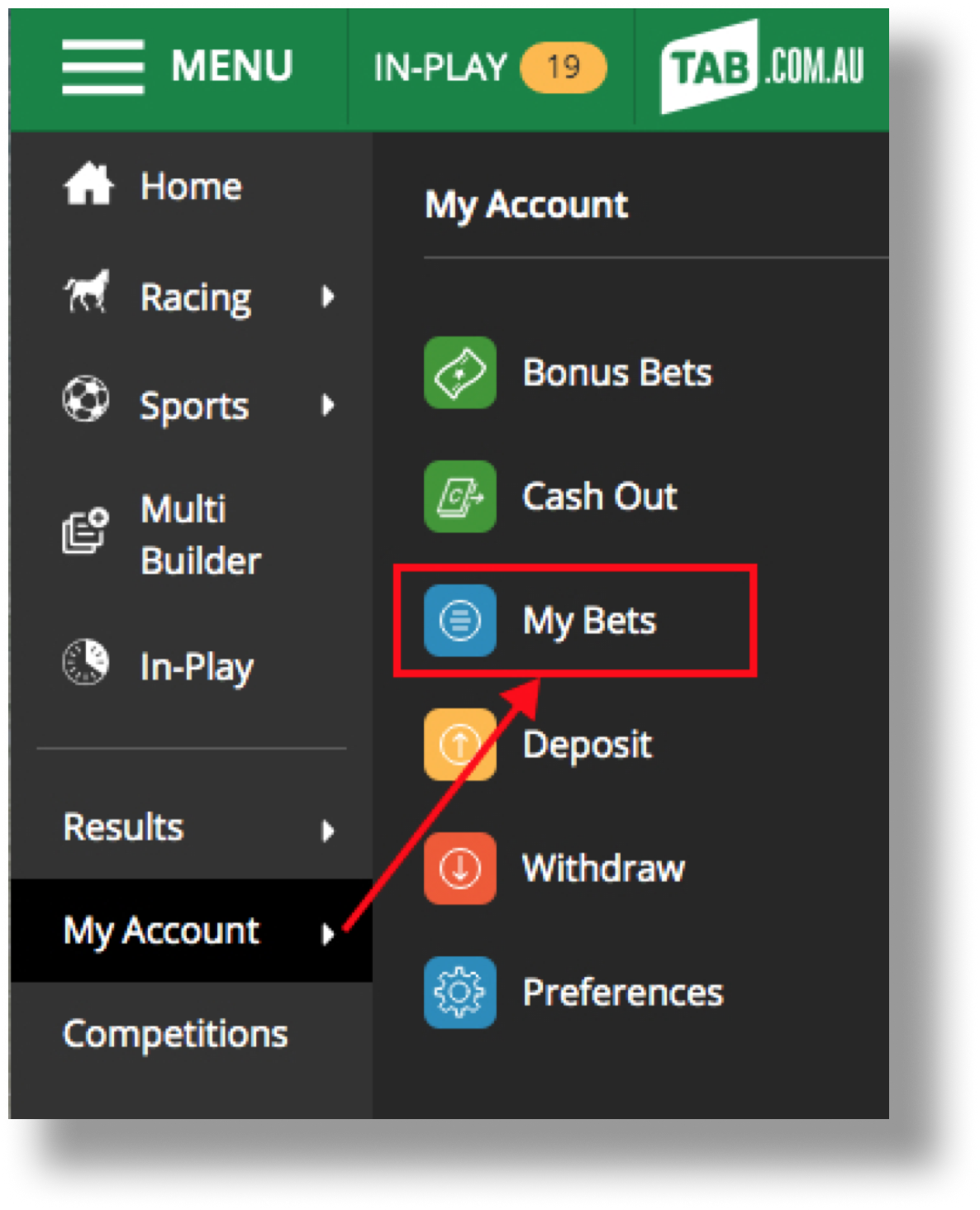
Reviewing betting transactions through My Bets
Statements are split into two sections - Bets and Transactions.
The 'Bets' section makes it easy to understand and track bets. Multibets and Parlay Formulas are grouped into a single card.
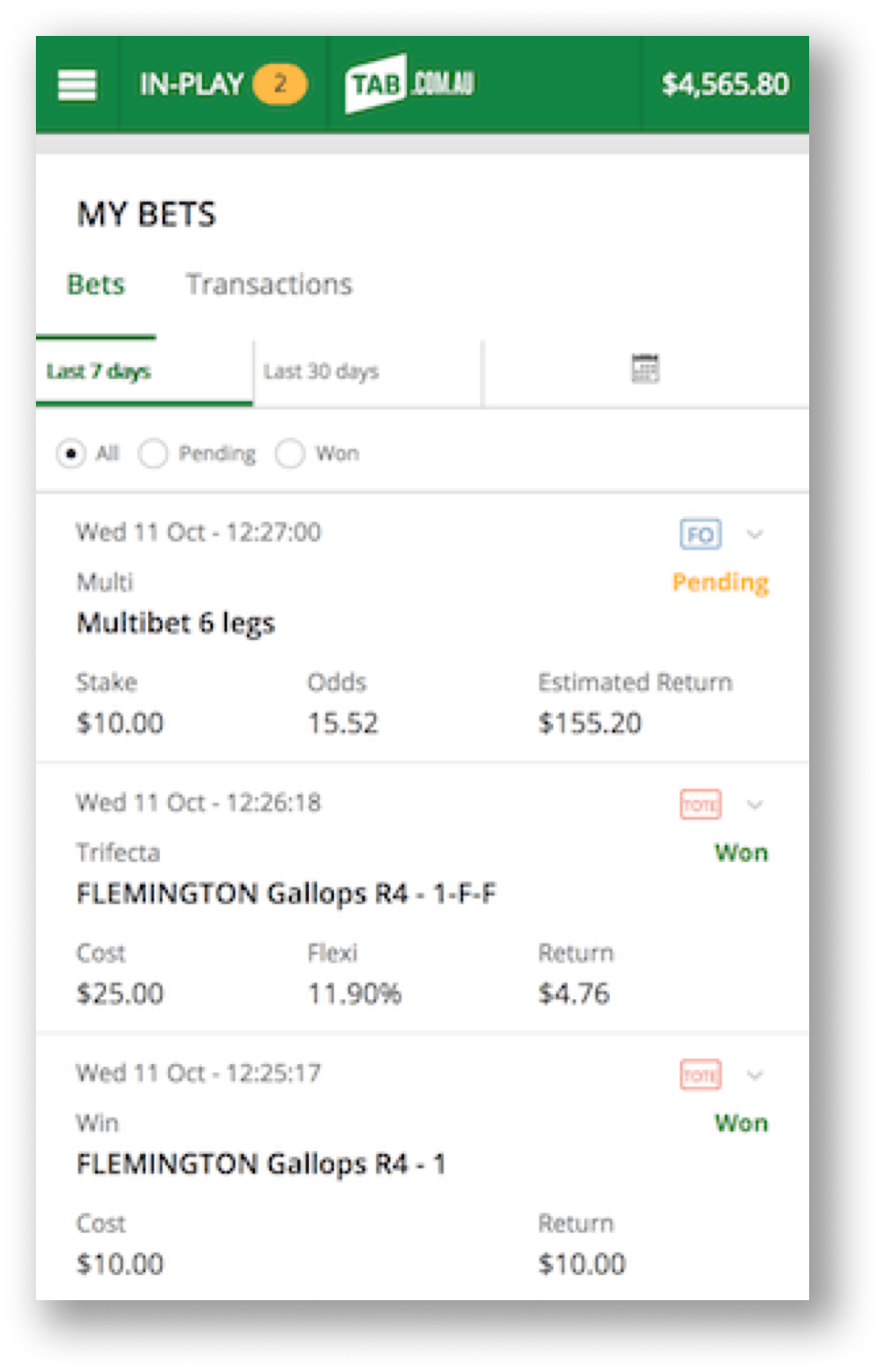
Filter Options
To search for longer periods or to filter the amount of detail shown, select from the following options:
Time Period
'Last 30 days' - displays last 30 days betting transactions
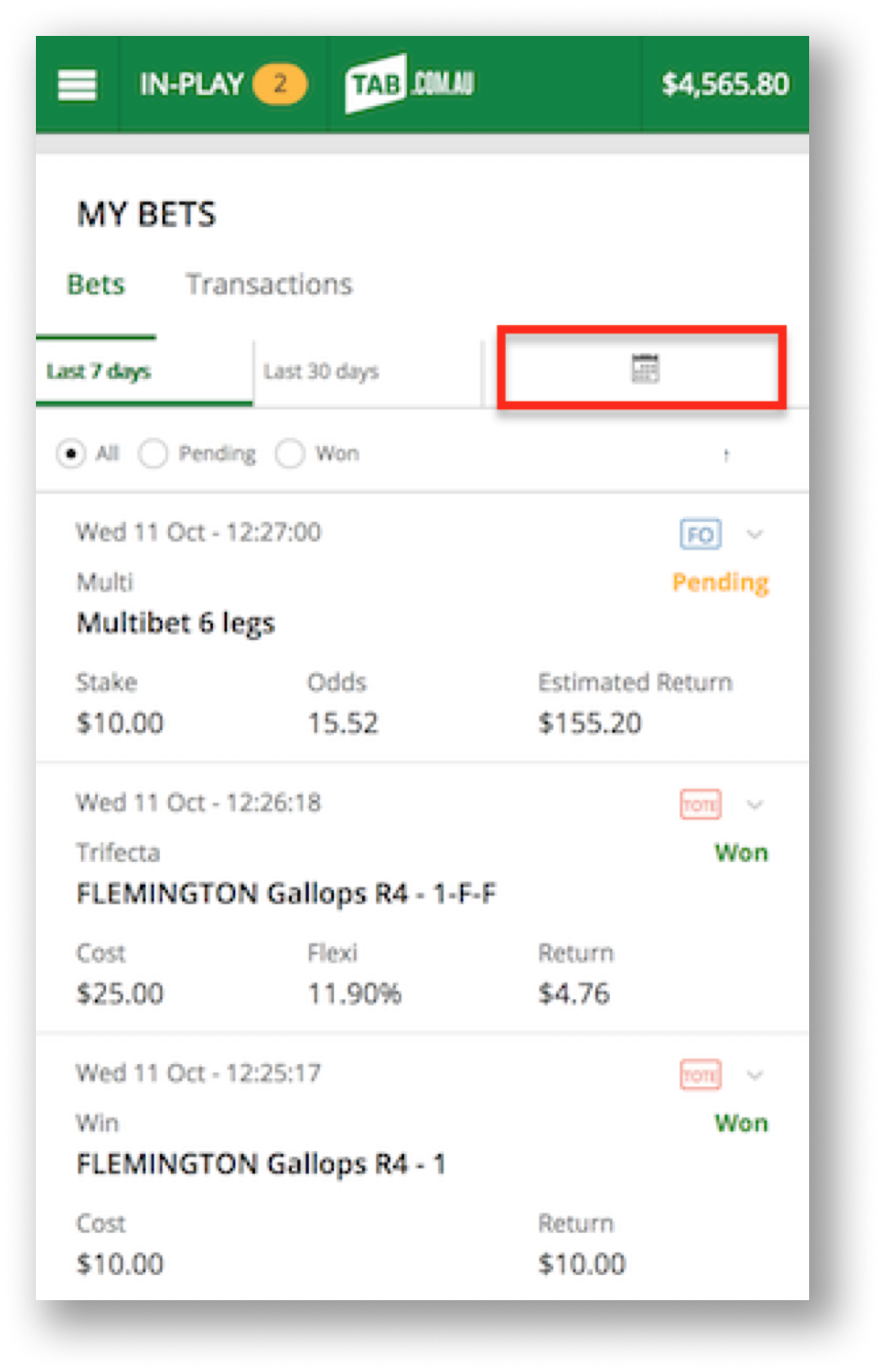
'Date Range' - brings up a calendar to search for a specific period up to 12 months ago
'Last 7 days' - displays last 7 days betting transactions
Bet Status
'All' bets - display all transactions (also shows deposit, withdrawal, cash out, etc)
'Won' bets - filter only winning bets
'Pending' bets - filter pending or open bets that have not yet been resulted
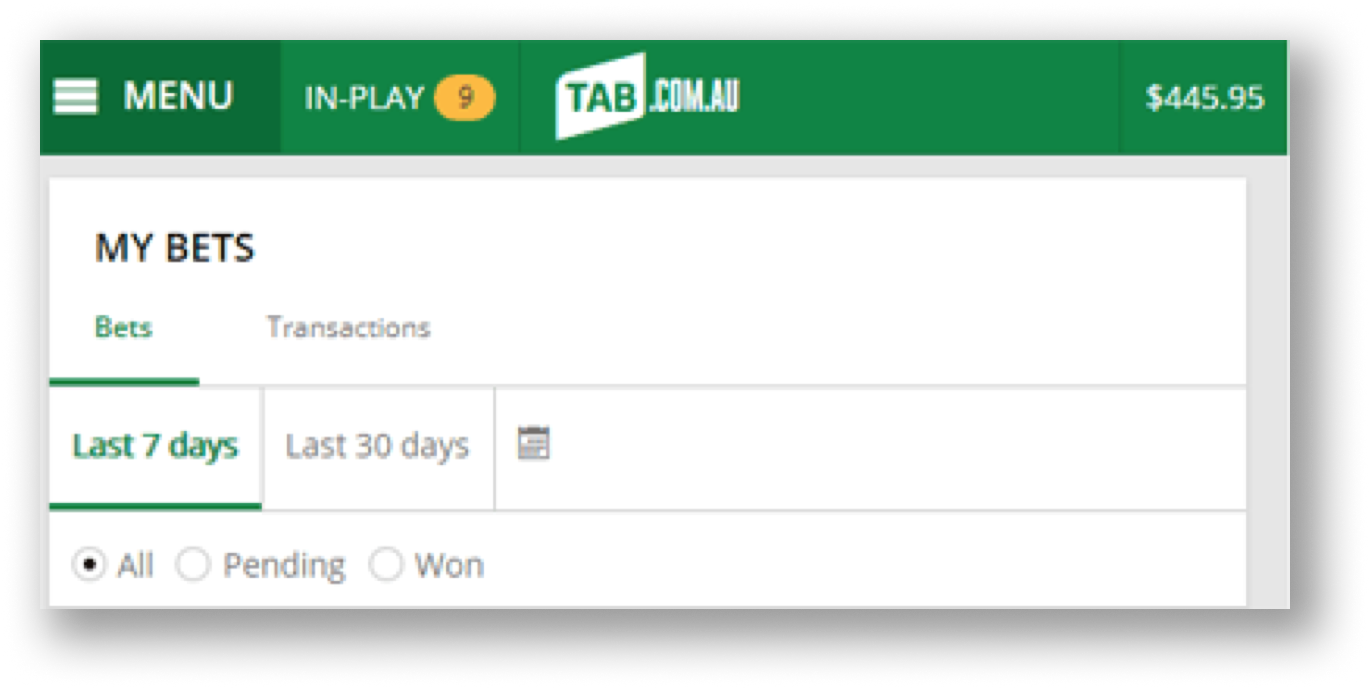
Searching by Date Range
To search your account betting statements for a specific period up to 12 months prior:
Select the Calendar icon
Select 'From' date from the calendar on left then select 'To' date from the calendar on the right
Select Done to search the requested statement history
Note: when searching the date range, entered dates can be no more than 90 days in duration per search (i.e., the difference between from and to dates can be no longer than 90 days).
Spends and Dividends
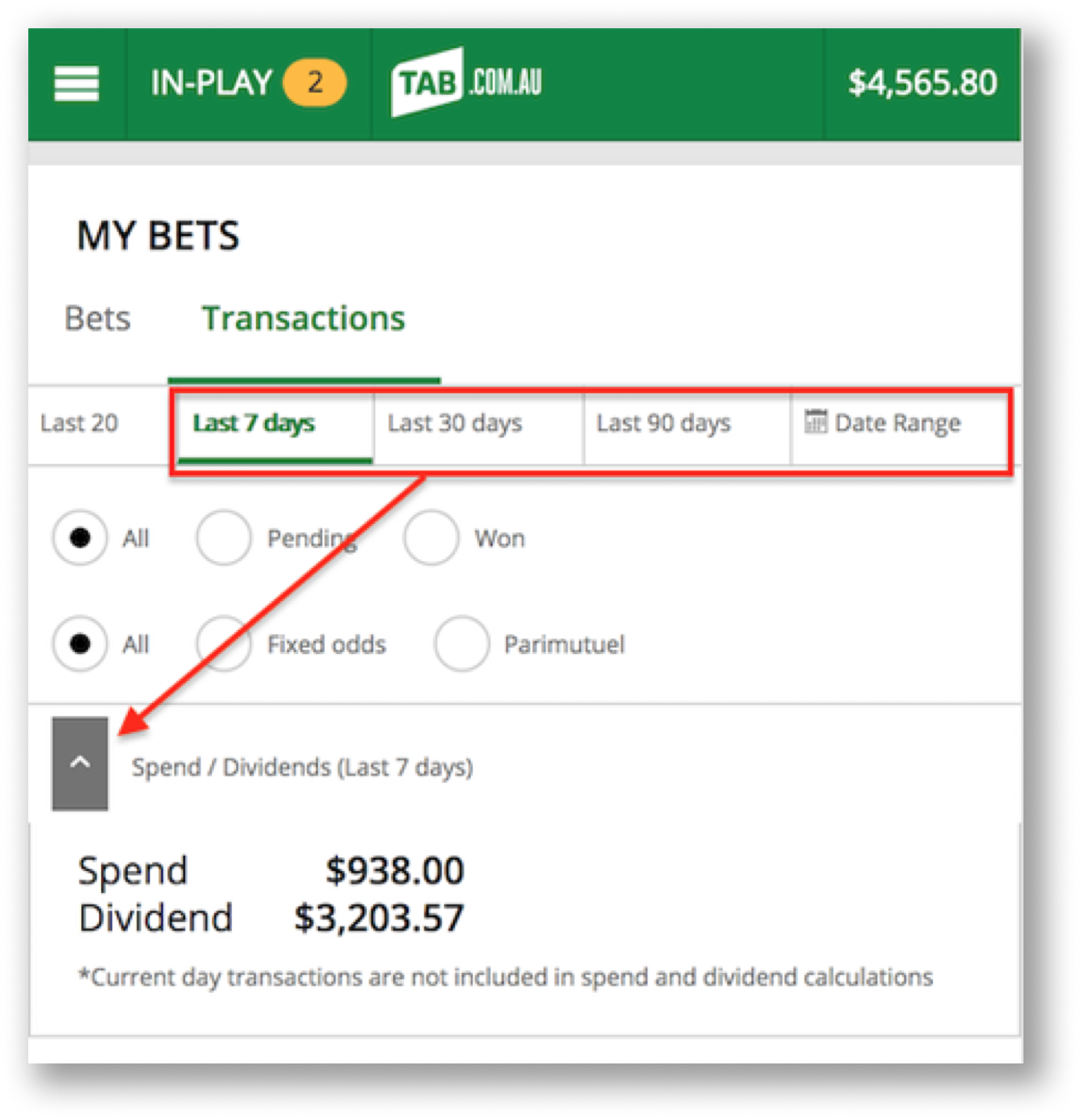
To view your Total Dividends and the Total Spends for a certain time period on your TAB Account:
Select the Transactions tab
Select from one of the following statement filters:
- Last 7 days
- Last 30 days
- Last 90 days
- Date Range
Select the drop-down arrow next to Spend / Dividends
The Total Dividends and the Total Spends for the selected period will now be shown, to change the period simply select one of the filters listed in step 1.
Accessing My Bets on the TAB APP
This section is currently being updated.
Betting Statements requests older than 12 months
To access betting results older than 12 months, you can request a statement by submitting a request here OR follow these simple steps:
Go to help.tab.com.au
Once the TAB Help Centre site is loaded, select the Contact Us tab
Fill in the Customer Service form request by selecting the 'Query Type' drop-down menu and click on 'Account Enquiries'
Type in your request with the "from date" and a "to date" you require in the Your Comments or Question area then submit your query
All statement requests processed by the Customer Service team can be sent to your e-mail address via a PDF attachment or posted to your registered postal address within 5 working days. Please indicate the method you would prefer in your query. If no method is indicated a PDF document will be sent via return e-mail.
Can't find what you're looking for?

Contact Us
If you need assistance, you can use our Email us form to log your enquiry or send us feedback. Complete the short form and we'll respond as soon as we can.

Customer Service
If you can’t find what you need, call us on 131 802 and have your account number and PIN ready.
Want to place a bet by phone? See phone betting options.