
You can close your TAB account:
On the TAB app – find out more here
At tab.com.au – find out more here
By mail – find out more here
By fax – find out more here
Before you close your account/request to close your account, please make sure:
Your account is verified
You have no pending bets
You have withdrawn your withdrawable balance
If you're not sure that you want to close your TAB account permanently, you can use our 'Take a Break' tool and lock/suspend your account for up to 30 days. Find out more here.
If you are concerned about your gambling habits or the impact that gambling is having on your life, we strongly encourage you to call Gambling Help on 1800 858 858. Find more information on safer gambling here.
Closing your account on the TAB app
To close your account on the TAB app:
Log in to your account.
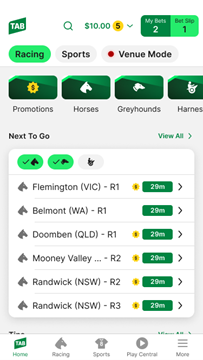
Once logged in, tap the 'More' menu in the bottom right corner of the screen.
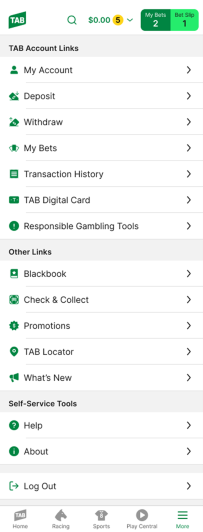
Tap 'My Account'.
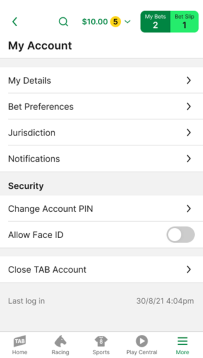
Tap 'Close TAB Account'.
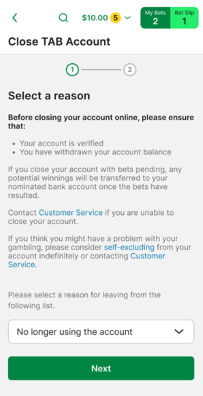
Carefully review the conditions of closing your account, select the reason you want to close your account, and then tap 'Next'.
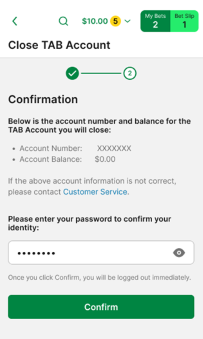
Review the details of your account, enter your account password, and then tap 'Confirm'.
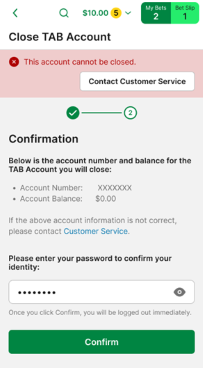
Please note: If you see the following notification, your account cannot be closed using the TAB app and you'll need to contact our Customer Service Team on 131 802.
Closing your account at tab.com.au
To close your account at tab.com.au:
Log in to your account.
Select the menu in the top left corner of the screen.
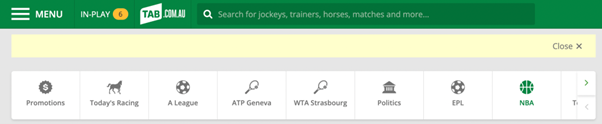
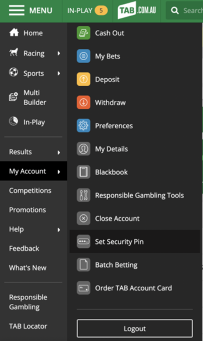
On the drop-down menu that appears, select 'My Account'. Then, scroll down and select 'Close Account'.
Enter your reason for closing your account and select 'Next'.
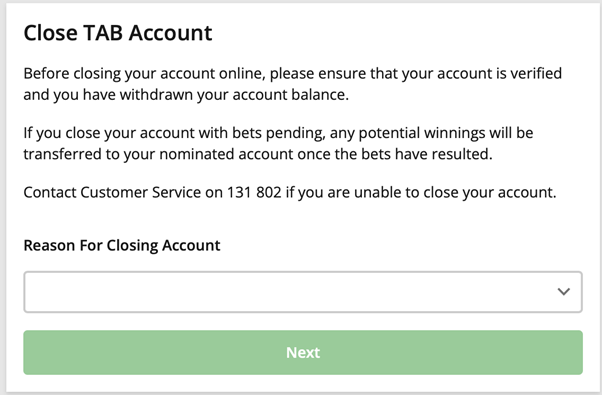
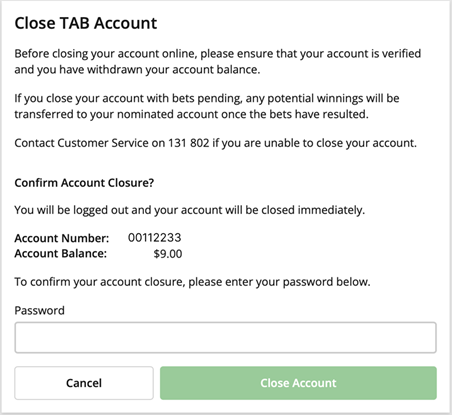
Read the information on the screen carefully before entering your TAB account password and selecting 'Close Account'.
Closing your account by mail
To close your account by mail, please send your request to:
TABGPO Box 4168
Sydney, NSW, 2001
Please ensure that your request:
Clearly states your wish to close your TAB account
Includes your full name and TAB account number
Is signed by you and dated
Closing your account by fax
To close your account by fax, please fax your request to 02 8868 5096.
Please ensure that your request:
Clearly states your wish to close your account
Includes your full name and TAB account number
Is signed by you and dated
Can't find what you're looking for?

Contact Us
If you need assistance, you can use our Email us form to log your enquiry or send us feedback. Complete the short form and we'll respond as soon as we can.

Customer Service
If you can’t find what you need, call us on 131 802 and have your account number and PIN ready.
Want to place a bet by phone? See phone betting options.