
To withdraw funds to your bank account, you'll first need to link it to your TAB account.
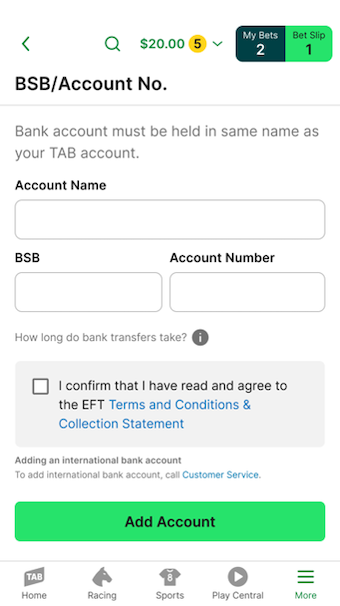
Important note: To link a bank account to your TAB account, it must be held in the same name as your TAB account.
To link a bank account to your TAB account using the app:
Log in to your account.
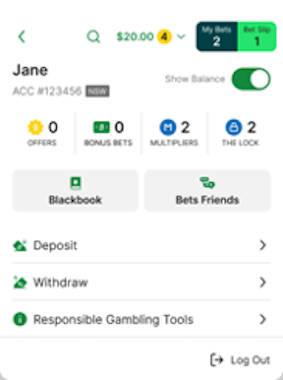
Tap your balance in the header at the top of the screen.

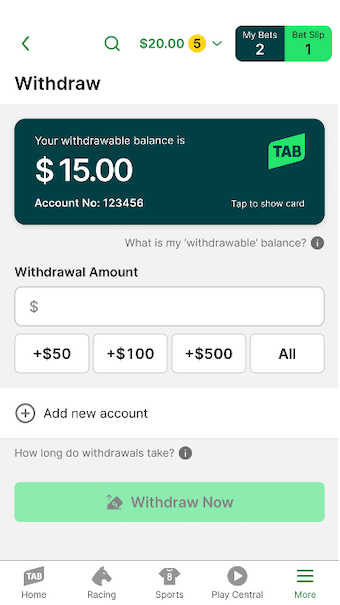
Tap 'Withdraw'.
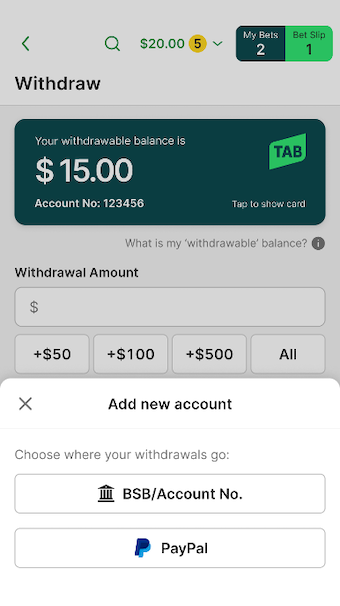
Tap 'Add new account'.
Select 'BSB/Account No.'.
Enter your bank account details, read and agree to the Terms & Conditions, and tap 'Add Account'.
Can't find what you're looking for?

Contact Us
If you need assistance, you can use our Email us form to log your enquiry or send us feedback. Complete the short form and we'll respond as soon as we can.

Customer Service
If you can’t find what you need, call us on 131 802 and have your account number and PIN ready.
Want to place a bet by phone? See phone betting options.